The autonomous AI QA agent for QA Engineers, Software Testers, and Product Managers. Capture screens, detect hidden network HTTP 4xx/5xx crashes, generate detailed steps to reproduce with AI, and create rich Jira tickets without ever leaving the webpage under test.
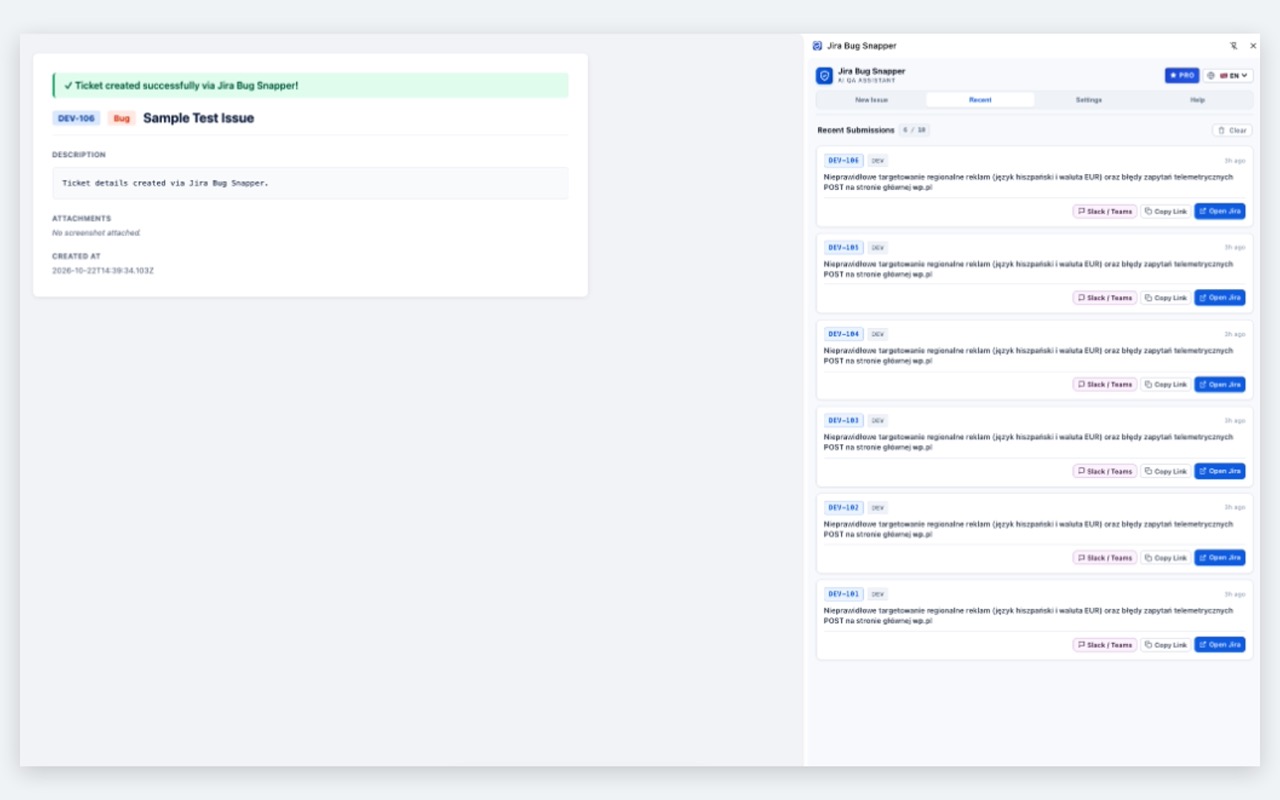
Eliminate manual copy-pasting, screenshot resizing, and repetitive issue descriptions. BugAgent AI does the heavy lifting for you.
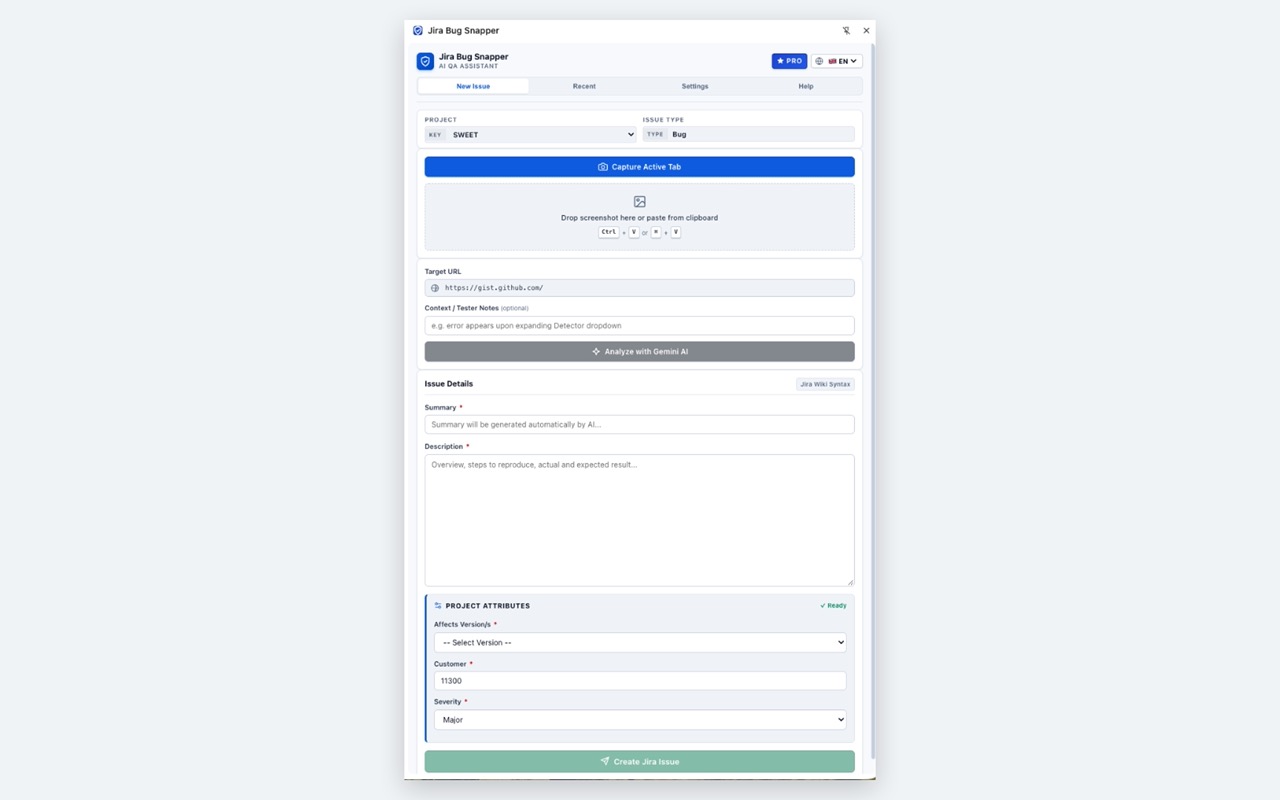
Capture the visible tab instantly with a single button, or press Ctrl+V / Cmd+V to paste snips directly from Windows Snipping Tool or Mac Screenshot.
Harness Google Gemini (Flash 3.8 / 2.0 / 1.5) to analyze visual anomalies, generate root-cause hypotheses, step-by-step reproduction guides, and expected vs actual results in 5 languages.
Silent app failure? BugAgent AI automatically intercepts failed fetch/XHR network requests and console errors, formatting status codes and endpoints directly into your Jira ticket.
Draw red boxes, callout arrows, and text notes. Use the one-click Pixelate / Blur brush to redact sensitive passwords, customer emails, and PII before uploading to Jira.
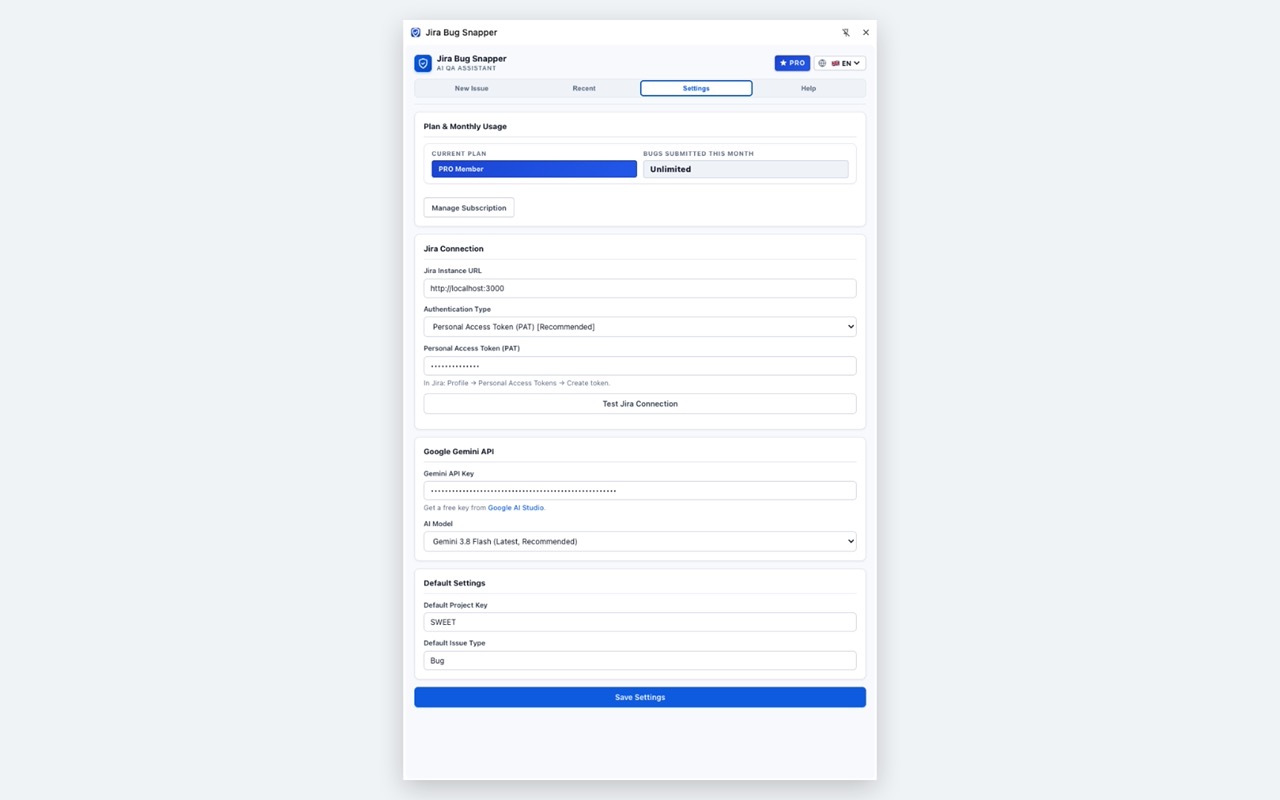
Works seamlessly with Atlassian Jira Cloud (*.atlassian.net) via API Token & Basic Auth, and Jira Server/Data Center instances via Personal Access Tokens (PAT).
Bring Your Own Key: Your Jira PAT and Gemini API keys are saved exclusively in your browser’s local storage. Your testing data travels directly to Jira with zero tracking servers.
Designed to fit natively inside Google Chrome's persistent side panel without covering your testing screen.
No credit card required to start testing. Generous monthly quota included for every tester.
Great for solo testers and occasional QA
For active QA Leads, Engineers and Teams
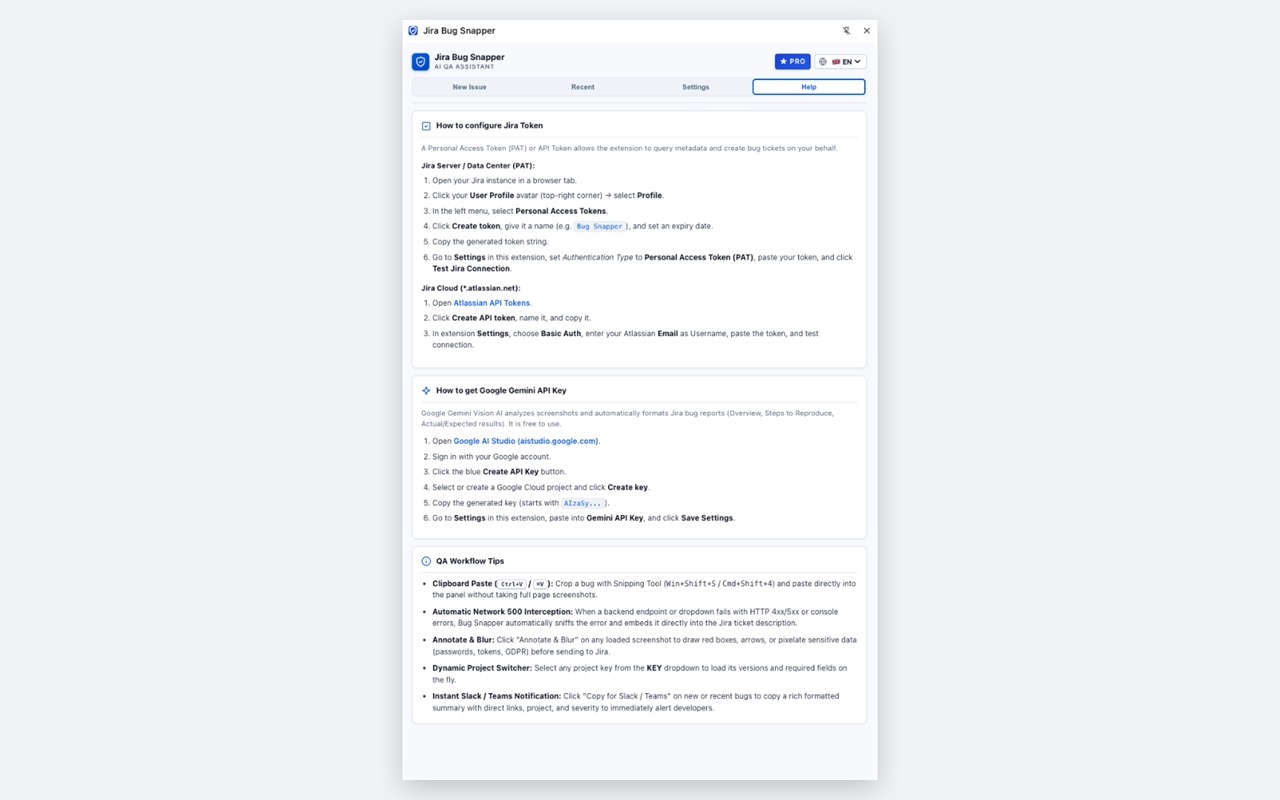
Get up and running in less than 2 minutes. Need assistance? We're here to help.
Have questions, feature suggestions, or need assistance connecting your custom Jira workflow? Contact developer support directly:
📧 Email: cvqprs@gmail.com